
Your team's boards, on your own hardware.
A Mosaic that never goes home: on your office server or NAS, it keeps every board and every file, backs them up daily, and your team connects straight to it.
$ curl -fsSL https://www.mosaicanvas.com/install/server.sh | shPS> irm https://www.mosaicanvas.com/install/server.ps1 | iex$ docker build -t mosaic-server https://www.mosaicanvas.com/install/DockerfileComes with Mosaic Pro. Or from Mosaic itself: Settings › Server › Make it a server.
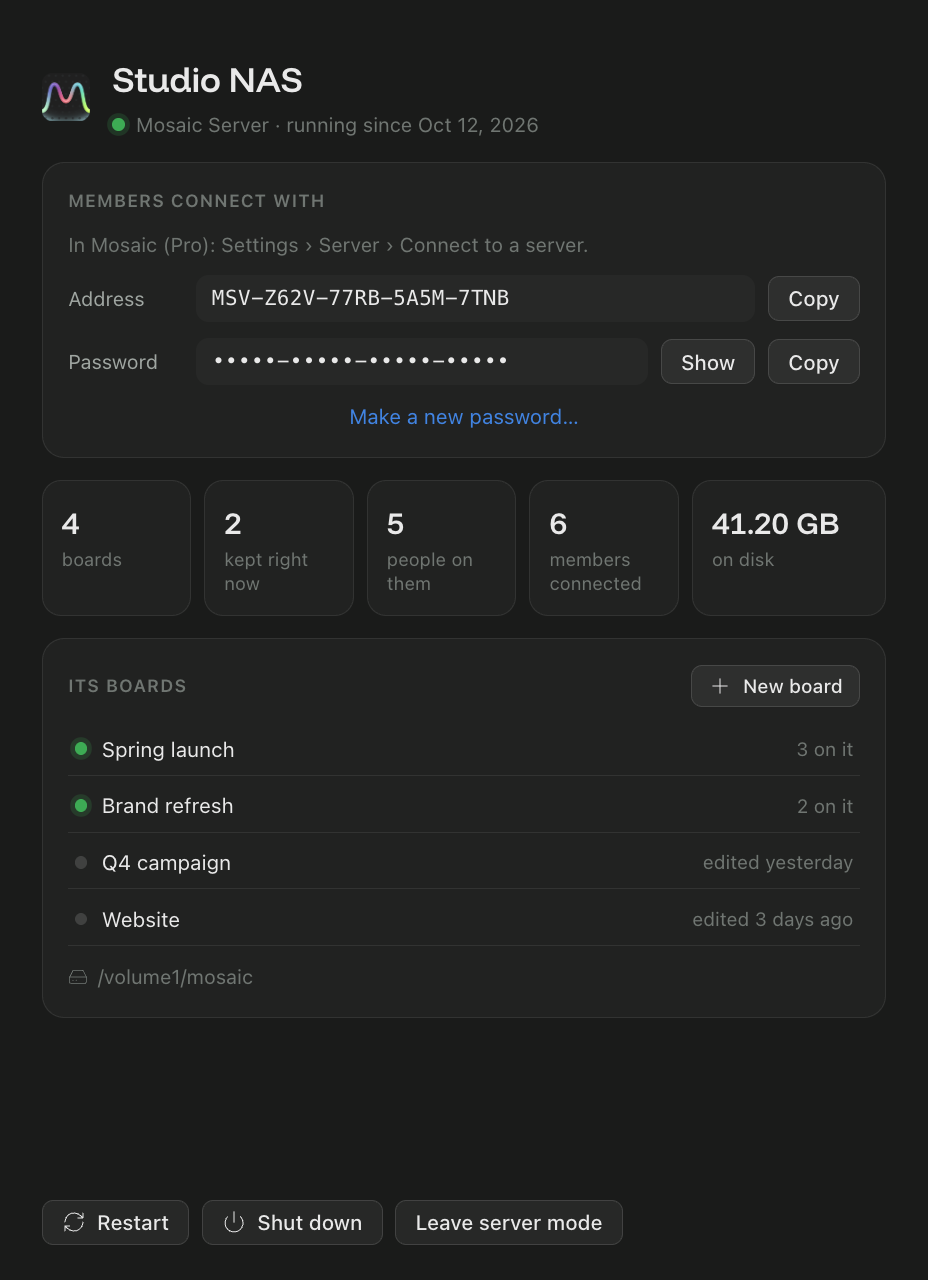
--headless, no window at all.Mosaic, started as a server.
Not another program: it's Mosaic itself, on every board as a quiet member that never leaves.
A cloud's comfort, on your own disks.
Always on
Boards and files are there, their owners gone home or not.
Every file, full size
Whatever lands on a board is kept. Nothing expires.
Daily backups
Each board as it was, every day, for 30 days.
No seat taken
On every board, but nobody: 15 people still fit.
Pro members only
Its password to reach it; each member's Mosaic Pro, checked by the server itself.
Your disks
A NAS volume, a RAID, a backed-up share: where you say.
One line, then connect.
It starts with the machine, and tells your team what to connect with.
One line on the server.
Linux or macOS above; Windows, the PowerShell line; a NAS, Docker. Name it and say where its data goes, or leave both as they are.
$ curl -fsSL https://www.mosaicanvas.com/install/server.sh \
    | sh -s -- --name "Studio NAS"
Mosaic Server 2.3.0 for Linux (x64)
Installing what it needs (libraries)…
Starting it…

Name      Studio NAS
Address   MSV-7K2Q-9XTA-4PLM-ZC8R
Password  h4k2p-9wq3z-tmx7c-2bd8f

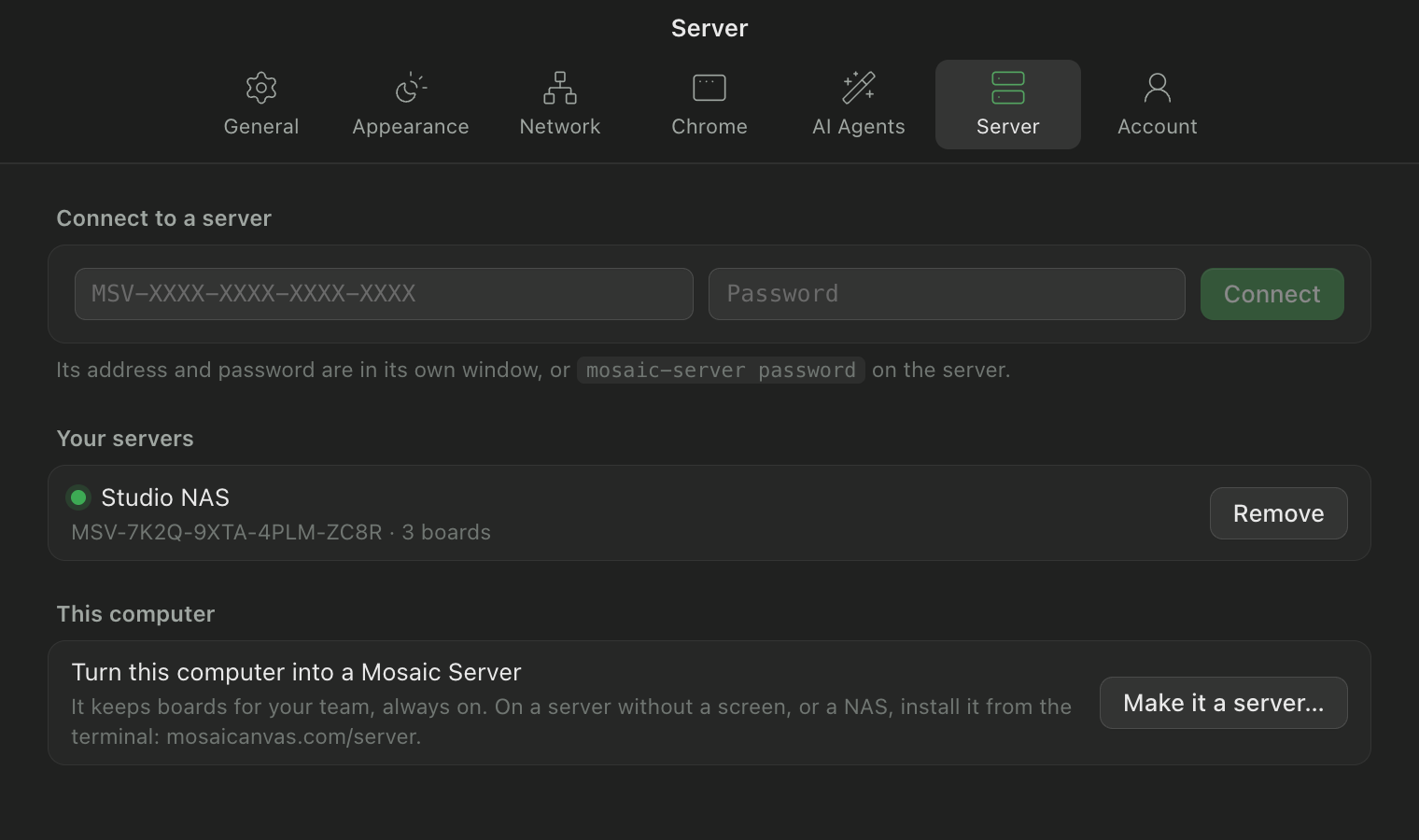
In Mosaic (Pro): Settings › Server › Connect to a server.
Done. 'mosaic-server' looks after it.
Its address and password, once.
In Mosaic Pro: Settings › Server. Every member does it once; a new password (mosaic-server password --new) asks them again.
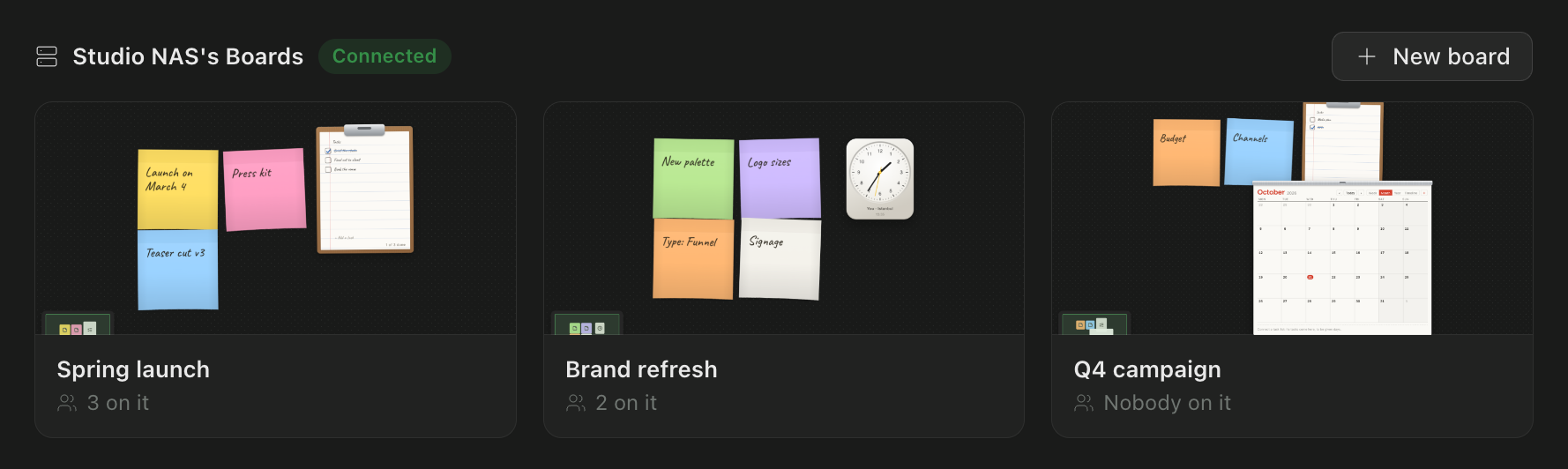
Its boards, on everyone's Home.
Under the server's name, with who's on each. New board makes one on it, kept there; or make one at the server's own window.
mosaic-server
Installed with it, on every system.
mosaic-server status | Running or not; its boards, the ones being kept right now, who's on them, members connected, its size on disk. |
mosaic-server password | Its name, address and password. --new makes a new password (connected members enter it again). |
mosaic-server start · stop · restart | The server itself (systemd on Linux, launchd on macOS, a scheduled task on Windows). |
mosaic-server logs | What it says, as it says it. |
mosaic-server backups | Its daily backups, by board, and how to put one back. |
mosaic-server update | The latest Mosaic, same name and data. |
mosaic-server uninstall | Off this machine. Its data stays where it is, for you to keep or delete. |
On a Synology, QNAP, TrueNAS or Unraid.
Build the image from our Dockerfile and give it a volume. With host networking it reaches your team directly; without it, it still works, through relays when it must.
$ docker build -t mosaic-server https://www.mosaicanvas.com/install/Dockerfile
$ docker run -d --name mosaic-server --restart unless-stopped --network host \
    -v /volume1/mosaic:/data -e MOSAIC_NAME="Studio NAS" mosaic-server
$ docker exec mosaic-server mosaic-server password
What it runs on.
Linux
- x86-64 or ARM64
- Debian, Ubuntu (the installer adds what it needs); others with GTK 3, NSS, libgbm and Xvfb
- No screen needed (it starts on a virtual one)
macOS
- macOS 12 or later
- Apple silicon or Intel
- A Mac that stays awake
Windows
- Windows 10 or 11
- Starts when its user signs in
NAS
- Docker (Container Manager, Container Station, TrueNAS apps, Unraid)
- x86-64 or ARM64
Memory: about 300 MB, and about 170 MB more for each board someone is on right now. Disk: as much as your team's files.
Before you install it.
Who can connect to it?
Members with Mosaic Pro and its address and password: the server checks each one's Pro pass itself. Anyone they invite to one of its boards comes in as always, from Mosaic or a browser.
Does anything go through Mosaic's servers?
No. Boards and files go straight between your team and the server, encrypted. The installer only fetches Mosaic's official release; strict networks may relay through a pass that can't read what it carries.
What if the server is off?
Its boards still work between the members who are on them, like any board. The server catches up when it's back.
Where does it keep things?
Where you say: --data on the installer, a volume in Docker. Each board's document, its files and its daily backups.
Can it be a member's own computer?
Yes: Settings › Server › Make it a server in Mosaic Pro. Mosaic's window gives way to the server's until you leave server mode.
More than one server?
Connect to as many as you like: each one's boards are on Home under its name. Several, managed centrally: Mosaic Enterprise.
Mosaic Pro, $49 once.
Mosaic Server, AI agents, boards of 15 people, and no limits on any board. Updates for good.